Exploring the Textured Charm of Weave Cane for Designers
A Typeface That Feels Like Handcraft
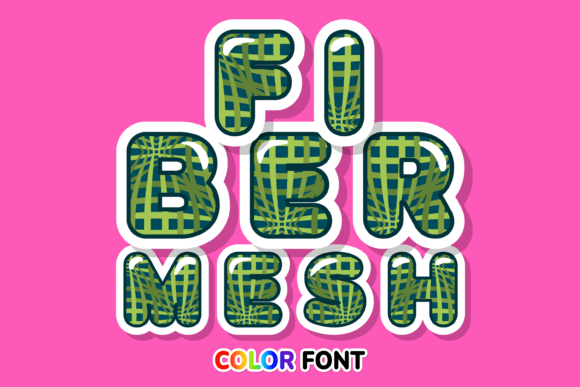
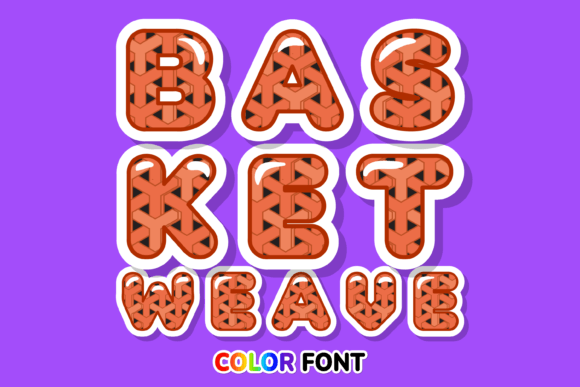
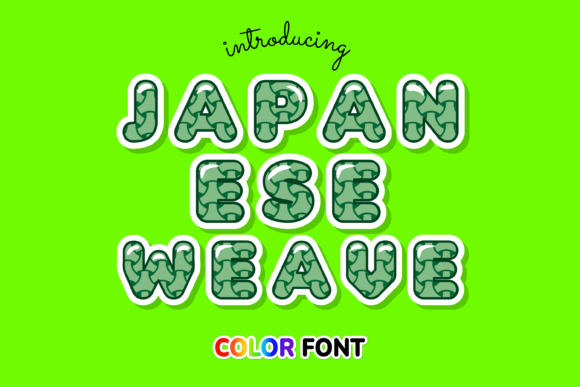
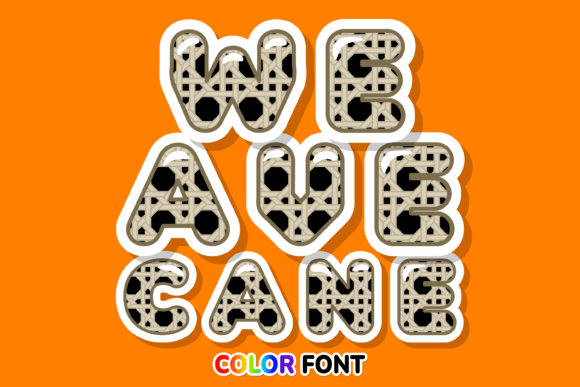
When you’re searching for a creative font that bridges the gap between digital precision and tactile warmth, you often end up with generic textures or stiff vectors. Weave Cane solves this problem by offering a visual experience that mimics the intricate, overlapping patterns of traditional weaving. It isn’t just a set of letters; it is a collection of miniature illustrations. The defining characteristic of this premium font is its built-in dimensionality. Unlike flat, standard typography, Weave Cane uses layering and shading to simulate the look of woven rattan or wicker.
This creates an immediate sense of depth that flat sans serif fonts simply cannot achieve. The personality of the typeface is inherently organic and artisanal. It feels grounded, honest, and textured. For projects that need to communicate authenticity—think handmade goods, rustic bakeries, or eco-conscious branding—this font does the heavy lifting. It provides a lovely touch that feels expensive and curated, rather than cheap or overused.
Technical Realities and Creative Possibilities
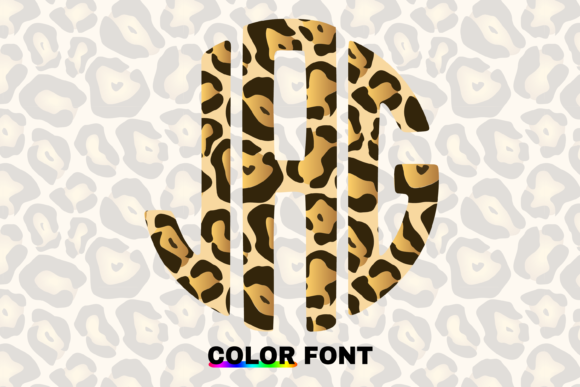
Before you integrate Weave Cane into your workflow, understanding the technical nature of the asset is crucial for a smooth process. This is not a standard vector font; it is a color font utilizing Opentype-SVG technology. This means the glyphs contain actual image data, allowing for those complex colors and shadows that make the weave effect pop.
However, this technology requires specific software support. Weave Cane is compatible with professional design tools like PhotoShop, Illustrator, Silhouette, and Inkscape. If you are a designer working in these environments, you can manipulate the text just like any other vector or raster layer.
Note! There is a significant compatibility constraint to keep in mind. The OTF and/or TTF files of this product are not compatible with Cricut. If you are a crafter relying heavily on Cricut Design Space for your cutting files, you will encounter issues rendering the complex color data. For those using Silhouette or desktop design software, the process is seamless, but always test your setup first. If you are unsure about how to handle Opentype-SVG files, checking a resource like an Ultimate Font Guide is a practical step to avoid technical headaches.
Strategic Applications in Branding and Marketing
In the world of brand identity, consistency and recognition are everything. Weave Cane functions best as a display font or a header typeface. It is too detailed to work well for long paragraphs of body text, but for headlines, logos, and hero images, it is incredibly effective. Because it is so visually distinct, it aids in brand recognition. A customer will remember the texture of your typography just as much as the words themselves.
Here is where this display font shines across different industries:
- Packaging Design: If you are designing for a food brand, a spa product, or artisanal goods, the weave texture suggests natural ingredients and careful construction.
- Editorial Design: Use it for drop caps or magazine covers to break the monotony of standard serif fonts and sans serif fonts.
- Social Media Graphics: On platforms like Instagram or Pinterest, where scroll-stopping power is vital, the colorful, textured nature of Weave Cane grabs attention instantly.
- Logo Design: For boutique businesses, this font can serve as the primary wordmark, provided the business name is short and legible.
Mastering Font Pairing and Visual Hierarchy
One of the biggest mistakes creatives make with novelty typefaces is failing to balance them. Weave Cane is bold and expressive, so it demands a quiet partner. When considering font pairing, you need to create contrast. Pairing it with another textured script font or a heavy handwritten font will result in visual chaos.
Instead, look for a clean, geometric sans serif font for your body copy. Think of fonts like Helvetica, Montserrat, or Open Sans. These neutral backgrounds allow the intricate details of Weave Cane to take center stage without overwhelming the viewer. This balance establishes a clear visual hierarchy: the textured headline draws the eye, and the clean body text delivers the information efficiently.
Evaluating Fit and Professionalism
Does this font fit your project? Ask yourself what emotion you are trying to evoke. If you are building a fintech app or a minimalist architecture firm, Weave Cane is likely the wrong choice—it leans too heavily into organic, rustic aesthetics. However, for a yoga studio, a farmers market, or a home decor blog, it is a perfect match.
From a professional standpoint, using a premium font like this elevates your work above the millions of designs using default system fonts. It shows clients and audiences that you care about the details. However, professionalism also means ensuring readability. Always test the font at the size it will be viewed. While it looks fantastic on a large computer screen, ensure it remains legible on mobile devices or when printed on small merchandise.
Ultimately, Weave Cane is more than just a creative font; it is a design asset